


Please follow these steps to register for MyCare on your mobile phone via email using the link from the SMS text invite.
If you are registering directly and not from an SMS text link, you will have an additional step where you will need to enter your date of birth and NHS Number.
| Step 1 |
|
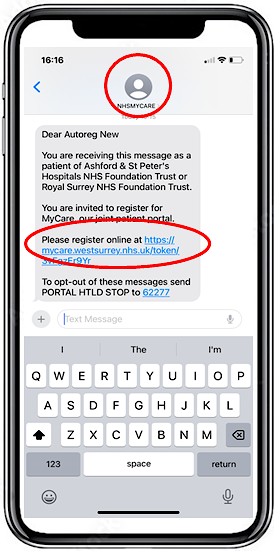
You will receive an SMS Text from NHSMYCARE. Click on your unique registration link |
 |
| Step 2 |
|
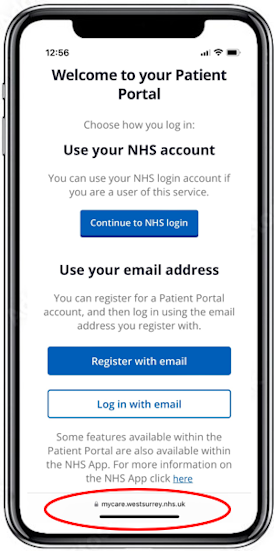
You will be taken to the registration page hosted at https://mycare.westsurrey.nhs.uk/ Click Register with email |
 |
| Step 3 |
|
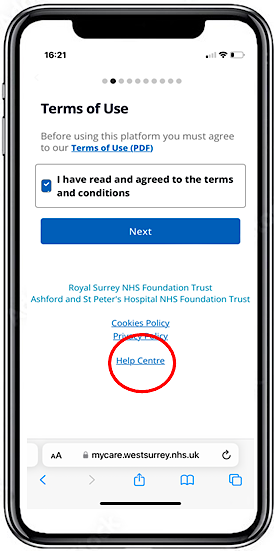
Read and agree to the terms and conditions. At the bottom of each registration screen you can access the Help Centre if you have any questions or need assistance with the portal. |
 |
| Step 4 |
|
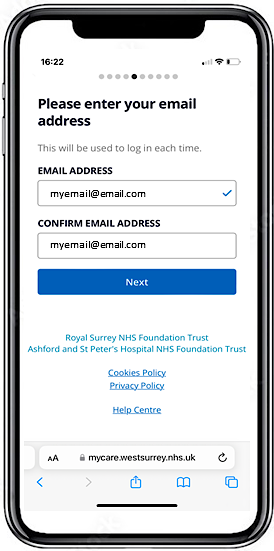
Enter your date of birth then enter your chosen email address. The email address must be unique, more than one person cannot register using the same email address. |
 |
| Step 5 |
|
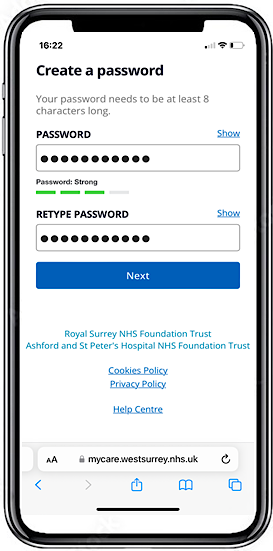
Create your password and retype it to validate. |
 |
| Step 6 |
|
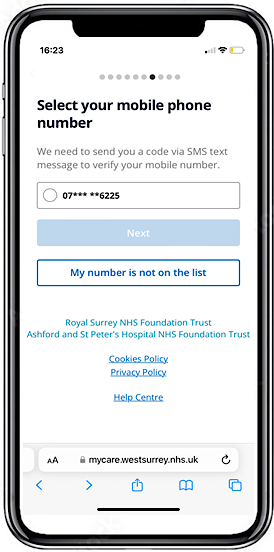
You will be presented with all the mobile numbers that we hold for you, select the one you wish to use. |
 |
| Step 7 |
|
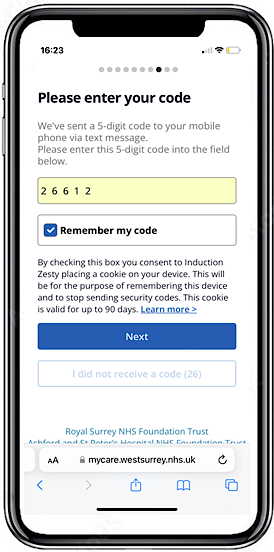
Request the 5-digit code to be sent to your chosen mobile number. Enter the code. |
 |
| Step 8 |
|
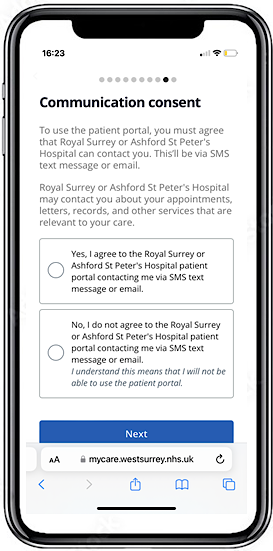
You must agree to contact via SMS or email to register. If you select No, your registration process will end. |
 |
| Step 9 |
|
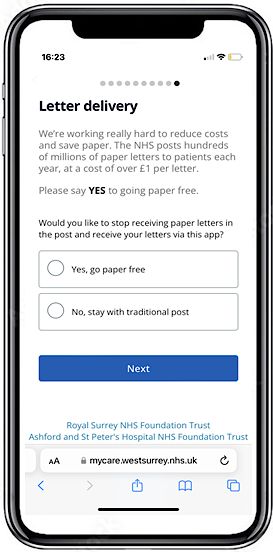
You will be asked to select your letter delivery preferences. Initially, we will still send paper letters, but plan to implement paper-free soon. |
 |
| Step 10 |
|
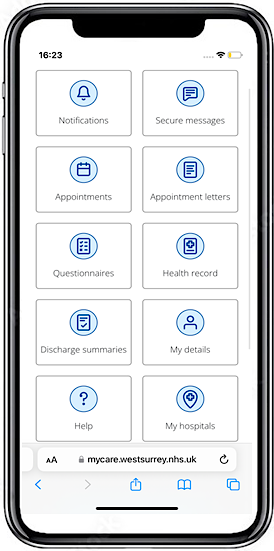
Your registration for MyCare is complete. You will be at the home menu. You can also access the portal on a laptop, PC, tablet or any smart device connected to the internet by going to www.mycare.westsurrey.nhs.uk |
 |


