


Please follow these steps to register for MyCare on your mobile phone via NHS login.
| Step 1 |
|
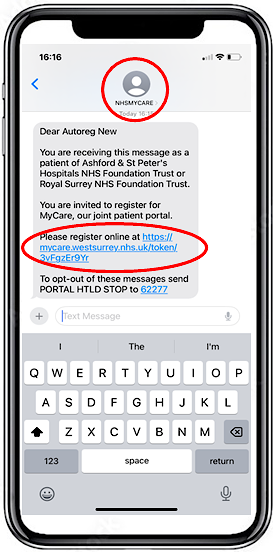
You will receive an SMS Text from NHSMYCARE. Click on your unique registration link |
 |
| Step 2 |
|
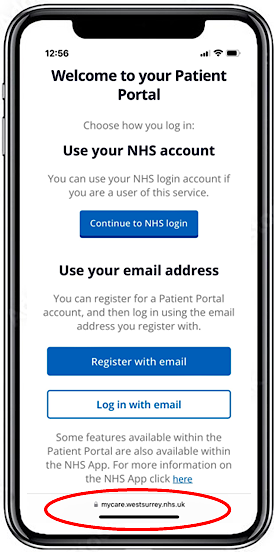
You will be taken the registration page hosted at mycare.westsurrey.nhs.uk. You will have a choice to register with email or use your NHS login, these are the details you use if you have the NHS App. |
 |
| Step 3 |
|
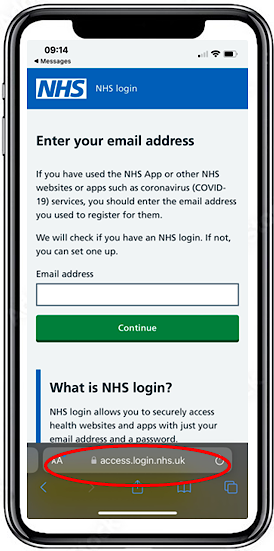
You will be taken to the NHS Login page. The NHS login allows you to securely access health websites and apps with just your email address and a password. Enter the email address that you are registered with. |
 |
| Step 4 |
|
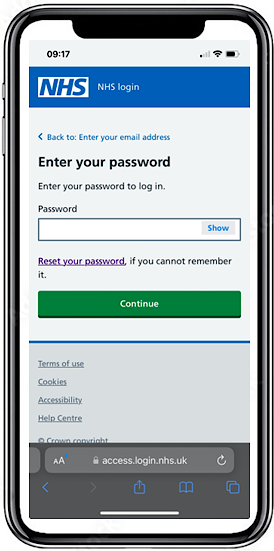
Enter your password, press continue. |
 |
| Step 5 |
|
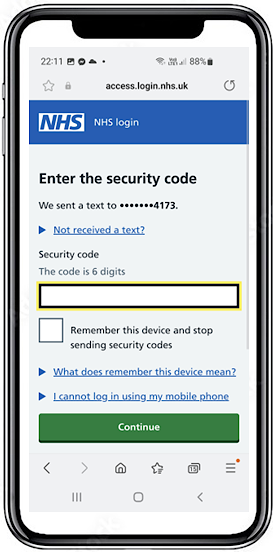
You will be prompted to send a 6 digit security code to your NHS login registered mobile. Once received enter the code and click continue. |
 |
| Step 6 |
|
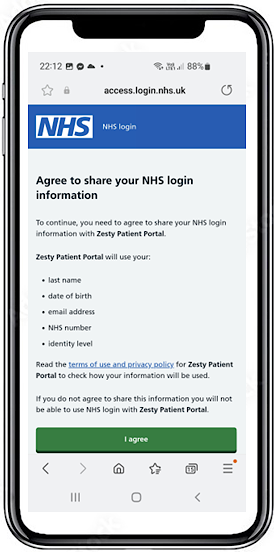
You will be asked to agree to share your login information with the Zesty Patient Portal, this is the name that MyCare is known as for NHS login. |
 |
| Step 7 |
|
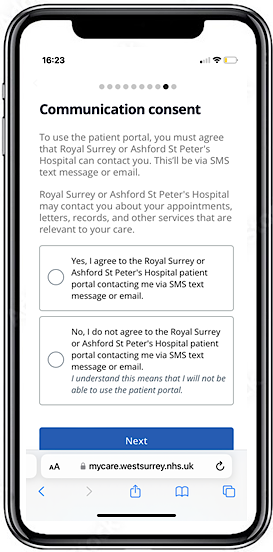
You must agree to contact via SMS or email to register. If you select No, your registration process will end. |
 |
| Step 8 |
|
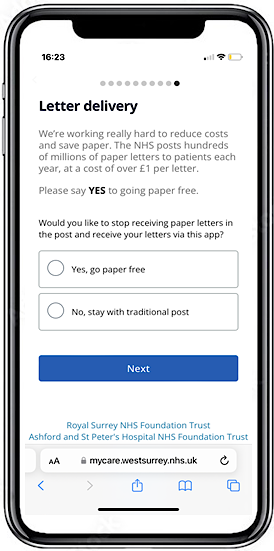
You will be asked to select your letter delivery preferences. Initially, we will still send paper letters, but plan to implement paper-free soon. |
 |
| Step 9 |
|
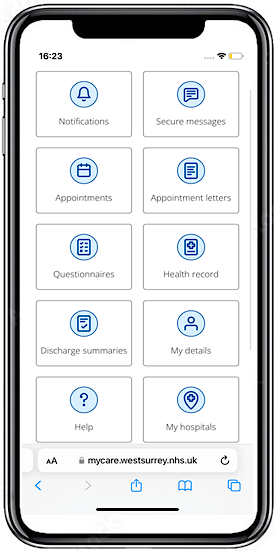
Your registration for MyCare is complete. You will be at the home menu. |
 |


